
Clock In/Out, Leave Management, Shifts & Attendance Reports
Time & Attendance
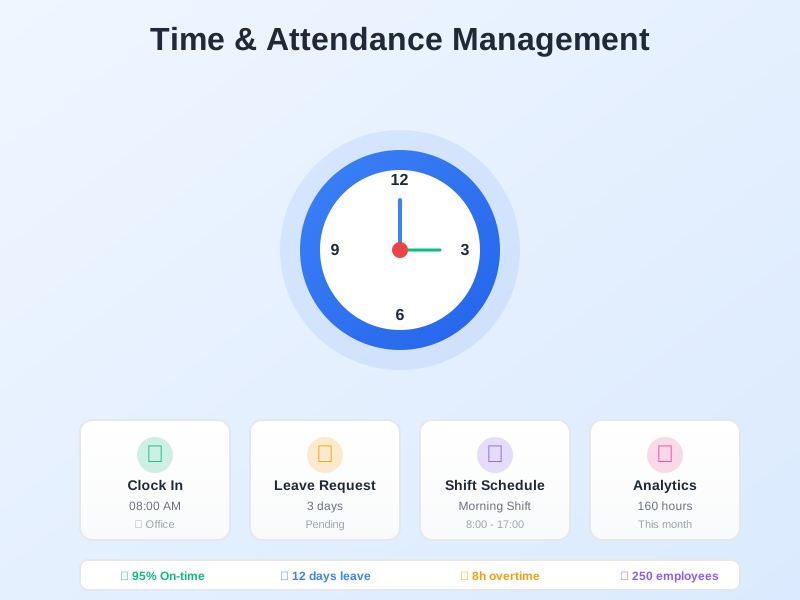
Track employee work hours with one-click clock in/out on web or mobile with GPS location recording. Manage leave requests with balance tracking and approval workflows. Schedule shifts, track overtime with configurable rates, and generate attendance reports by employee, department, or company - all exportable to Excel.
undefined
undefined
Complete Attendance Management in One Place
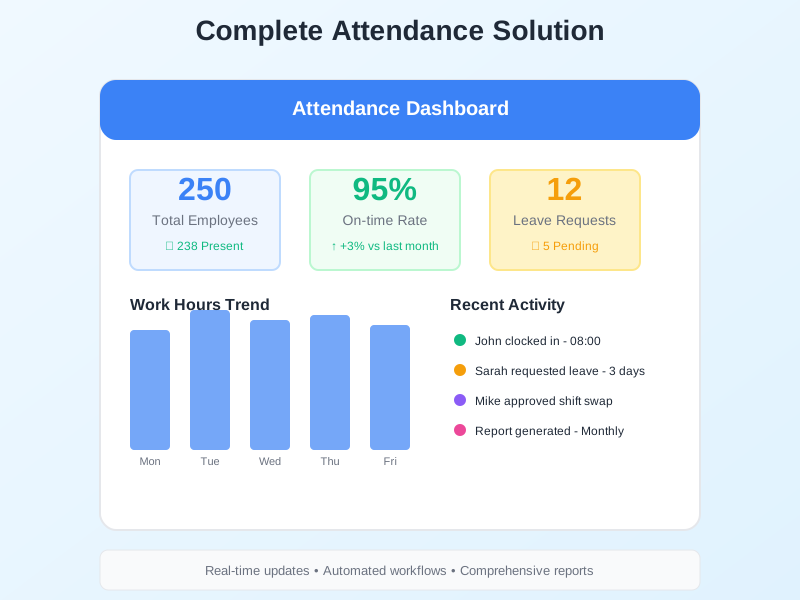
Noova Time & Attendance replaces manual timesheets and spreadsheets with a centralized system for tracking work hours, managing leave, scheduling shifts, and generating reports. Employees clock in from web or mobile, managers approve leave and review attendance, and HR pulls reports for payroll - all from one platform.
Web & Mobile Access
Employees clock in/out and submit leave requests from any device. Managers approve requests and review attendance on the go.
GPS Location Recording
Each clock-in records the employee's GPS location, giving managers visibility into where attendance was logged.
Break Time Tracking
Employees start and end breaks in the system. Break time is automatically factored into work hour calculations for accurate totals.
Excel Export for Payroll
Export attendance summaries, overtime hours, and leave records to Excel for seamless handoff to payroll and accounting teams.
What Time & Attendance Enables
Replace Manual Attendance Tracking
Move away from paper sign-in sheets and Excel timesheets. Employees clock in with one click, and the system handles work hour calculations, break deductions, and overtime identification automatically.
Structured Leave Management
Instead of tracking leave through emails or separate spreadsheets, employees submit leave requests with supporting documents. Managers approve through a workflow, and balances update automatically.
Attendance Visibility for Managers
Managers can see attendance rates, late arrivals, absent days, and total work hours for their teams. Reports can be generated for any date range and scoped to individual employees or entire departments.
Accurate Data for Payroll
Overtime hours with the correct salary coefficients, leave days by type, and total work hours are all calculated and ready to export - reducing errors when preparing payroll.
Who Uses Time & Attendance
Employees
Clock in/out daily, track breaks, submit leave requests, and view remaining leave balances - all from web or mobile.
Managers
Approve leave requests and manual entries, review team attendance, and monitor work hours and overtime for their department.
HR Teams
Configure attendance policies, manage shift schedules, run attendance analytics, and export reports for payroll processing.
Payroll & Accounting Teams
Receive accurate attendance data including work hours, overtime with salary coefficients, and leave records - ready for payroll calculation.
How Organizations Use Time & Attendance
Managing Daily Attendance for an Office Team
An HR team needs to track daily attendance for office employees, including clock-in times, break durations, and late arrivals, and wants to replace their current spreadsheet-based system.
- Employees clock in/out via web or mobile with GPS location recorded
- Break times tracked automatically and deducted from total work hours
- Late arrivals and absent days identified in real time on the attendance dashboard
- Manual time entries submitted by employees who forgot to clock in, with manager approval
- Weekly and monthly attendance summaries generated by department
- Reports exported to Excel for record-keeping and payroll handoff
Handling Leave Requests During Peak Season
A growing organization needs to manage a high volume of leave requests around holidays, ensuring managers can review requests against team availability and that leave balances stay accurate.
- Employees submit leave requests with leave type, date range, and supporting documents
- Managers review and approve/reject requests through the approval workflow
- Leave balances update automatically when requests are approved
- Half-day and hourly leave options available for flexible scheduling
- Leave reports generated to show used, available, and pending days per employee
- Leave data exported for payroll calculation at month end
Tracking Overtime and Generating Payroll Reports
A company with employees working beyond standard hours needs to track overtime accurately with different salary coefficients for weekdays, weekends, and holidays, and produce reports for payroll.
- Overtime hours calculated automatically based on clock-in/out times and shift schedules
- Salary coefficients configured for weekday, weekend, and holiday overtime rates
- Overtime report generated for individual employees or entire departments
- Date range filters applied to pull overtime data for specific pay periods
- Attendance summary combined with overtime data for complete payroll picture
- All reports exported to Excel and handed to payroll for processing
Using Time & Attendance Step by Step
1
Set Up Shifts and Leave Policies
HR configures work shifts with their hours, sets up leave types (annual, sick, unpaid, etc.), and defines overtime salary coefficients. This establishes the rules the system uses for calculations.
2
Employees Clock In/Out and Track Breaks
Employees clock in and out via web or mobile with one click. GPS location is recorded with each entry. During the day, employees start and end breaks, which the system factors into work hour calculations.
3
Submit and Approve Leave Requests
Employees submit leave requests by selecting a leave type, date range, and attaching supporting documents if needed. Managers receive the request, review it, and approve or reject through the workflow. Balances update automatically.
4
Generate Reports and Export to Excel
HR and managers generate attendance summaries, overtime reports, and leave reports. Reports can be scoped to individual employees, departments, or the entire company, filtered by date range, and exported to Excel for payroll.
Complete Feature Breakdown
Clock In/Out
One-click attendance logging via web or mobile with automatic GPS location recording.
Break Time Tracking
Track break start and end times, with break duration automatically factored into work hour calculations.
Manual Time Entry
Employees who forget to clock in can submit a manual entry with a reason, which requires manager approval before being recorded.
Work Hours & Overtime Calculation
Automatic calculation of total work hours, actual work time after breaks, and overtime with configurable salary coefficients.
Leave Management
Full leave lifecycle from request to approval, with multiple leave types, balance tracking, and supporting document attachments.
Shift Management
Create work shifts and assign employees to schedules to organize staffing across teams and departments.
Attendance Analytics & Reports
Three report types with flexible scoping and date filters, plus Excel export for payroll and record-keeping.
Frequently Asked Questions
Common questions about Time & Attendance
Ready to Simplify Attendance Management?
Track clock-in/out, manage leave, schedule shifts, calculate overtime, and generate payroll-ready reports - all in one platform.


