
Goals, Reviews, Feedback & Calibration in One Platform
Performance Management
Set and track goals with OKR support, run structured review cycles with 360-degree feedback, give real-time recognition, calibrate ratings with the 9-box grid, and support underperformers with formal improvement plans. Everything connects - from goal progress to review scores to development actions.
undefined
undefined
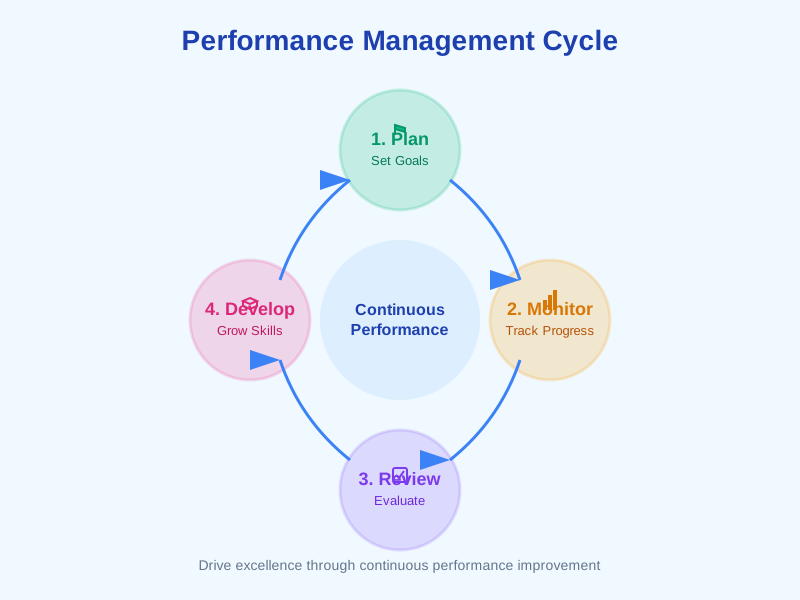
A Complete Performance Cycle - From Goals to Development
Noova Performance Management covers the full performance cycle. Employees set goals and track progress throughout the period. When review time comes, managers and peers complete structured evaluations using customizable templates. HR calibrates ratings for fairness. Feedback flows continuously between cycles. And when someone needs extra support, formal improvement plans provide a clear path forward - all on a single platform connected to your organization structure.
Goals with OKR Support
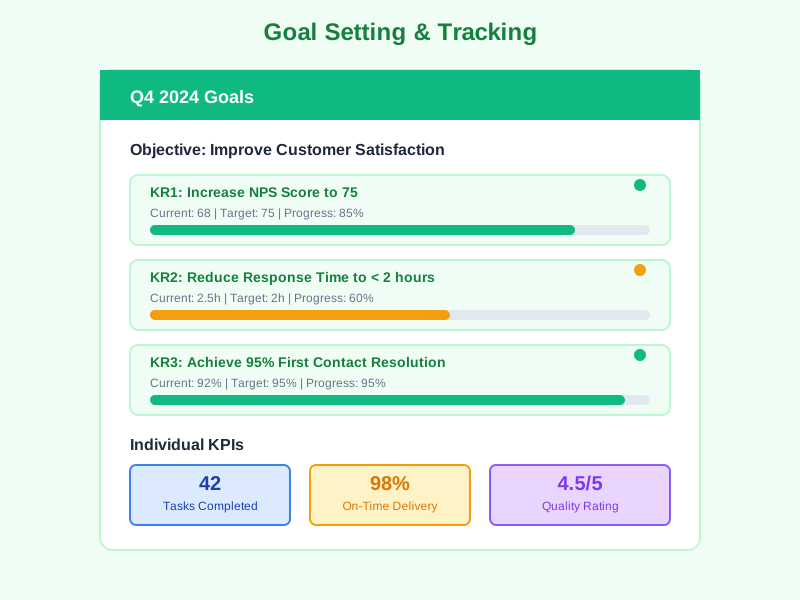
Create goals at individual, team, or company level. Define key results with measurable targets, track progress from 0 to 100%, and set check-in frequency - weekly, biweekly, monthly, or quarterly.
Customizable Review Templates
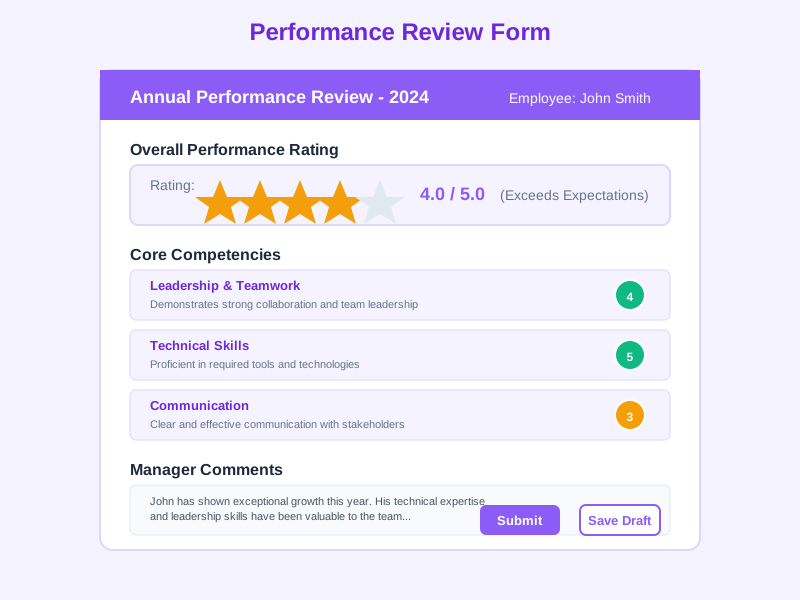
Build review forms with sections, rating scales, text questions, multiple-choice, yes/no, and goal review questions. Assign weights to sections and link to competency frameworks.
Fair Calibration Process
Calibrate ratings across departments or the entire organization. Adjust performance and potential scores, set distribution targets, and visualize talent on the 9-box grid.
Real-Time Feedback Culture
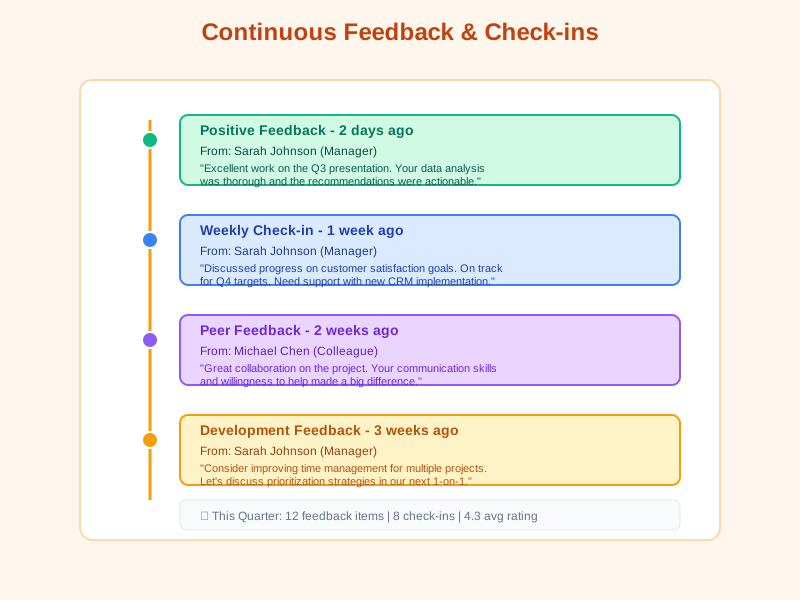
Employees give and receive feedback anytime - recognition for achievements, constructive input for growth, or formal feedback requests with deadlines.
What Performance Management Enables
Clear Expectations & Accountability
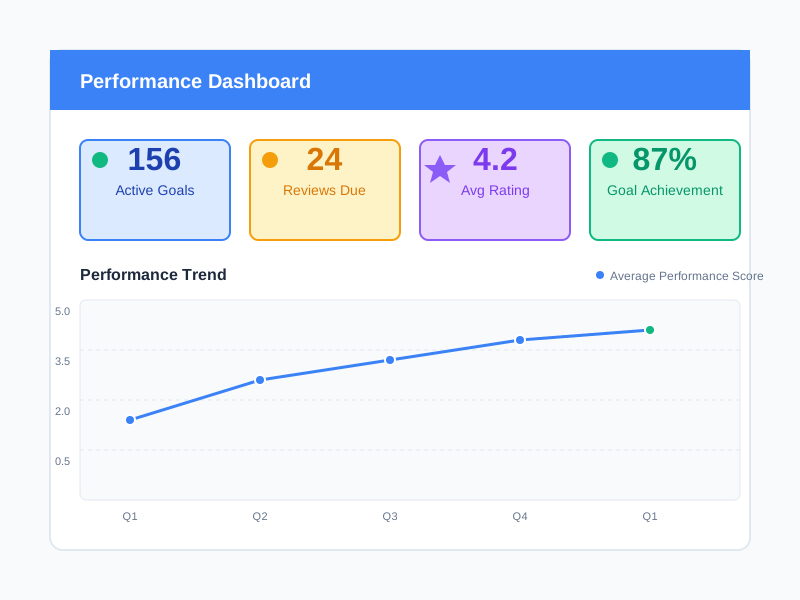
Every employee has visible goals with measurable targets and deadlines. Progress is tracked continuously, and both employees and managers can see exactly where things stand at any time.
Multi-Source Performance Insights
360-degree reviews combine self-assessment, manager evaluation, peer feedback, and subordinate input into aggregated scores - giving a complete picture of performance from every angle.
Data-Driven Talent Decisions
Calibrated ratings, 9-box grid positioning, goal achievement data, and feedback analytics provide objective evidence for promotions, compensation reviews, and succession planning.
Structured Support for Improvement
When employees struggle, formal improvement plans provide clear expectations, specific milestones, regular check-ins, and defined outcomes - with documentation for both the employee and the organization.
Who Uses Performance Management
HR & People Operations
Design review cycles, build templates, run calibration sessions, manage improvement plans, and analyze performance trends across the organization.
Managers & Team Leaders
Set team goals, complete manager reviews, give continuous feedback, track direct report progress, and identify development needs.
Employees
Set personal goals, complete self-reviews, receive and give peer feedback, request feedback from colleagues, and track own performance history.
Executive Leadership
Monitor organization-wide performance health, review calibration outcomes, track goal alignment from company to individual level, and ensure talent decisions are data-driven.
How Organizations Use Performance Management
Running a Quarterly Review Cycle with 360 Feedback
An organization wants to move from annual reviews to quarterly cycles. HR needs to collect self-assessments, manager evaluations, and peer feedback for every employee, then calibrate ratings before sharing results.
- Created a review cycle and selected a template with rating scales and goal review sections
- Configured 360-degree feedback with self, manager, and peer review types
- Set separate deadlines for self-review, peer review, and manager review phases
- Automated reminders sent to participants who haven't completed their reviews
- Scores aggregated across all reviewer types for each employee
- Calibration session held to adjust ratings and position employees on the 9-box grid
- Results shared with employees who acknowledged and commented on their reviews
Cascading Company Goals to Team and Individual OKRs
Leadership defines company-level goals for the year. Each department needs to create aligned team goals, and every employee should have individual goals that roll up to team objectives.
- Company goals set with key results and measurable targets
- Department managers created team goals linked to company objectives
- Employees set individual goals with clear measurement criteria and priorities
- Progress tracked from 0% to 100% with regular check-ins - weekly or monthly
- Goal completion visible at individual, team, and company level
- Goal achievement data fed into the review cycle for performance evaluation
Managing a Performance Improvement Plan
A manager identifies an employee who has been underperforming based on review results. HR needs to create a formal improvement plan with specific expectations, regular check-ins, and clear success criteria.
- Created an improvement plan specifying areas of concern and expected targets
- Defined milestones with specific deadlines over a 90-day period
- Scheduled biweekly check-ins to document progress and provide support
- Assigned support resources - training sessions and coaching
- Manager recorded progress notes and milestone completion at each check-in
- Plan completed with documented outcome and follow-up actions
Using Performance Management Step by Step
1
Set Goals for the Period
Start by defining goals at the company, team, and individual level. Choose the goal type - performance, development, project, or OKR with key results. Set target values, deadlines, and priority. Employees and managers can both create goals, with optional approval workflows.
2
Give Continuous Feedback
Between review cycles, encourage ongoing feedback. Employees can give recognition for achievements, share constructive feedback, or formally request feedback from colleagues. Feedback supports replies and reactions so conversations can continue naturally.
3
Run Review Cycles
When it's time for formal reviews, create a cycle and select a template. Choose participants - all employees, specific departments, or selected individuals. Configure self, manager, peer, and subordinate review types. Set deadlines and launch the cycle. The system sends notifications and tracks completion.
4
Calibrate & Share Results
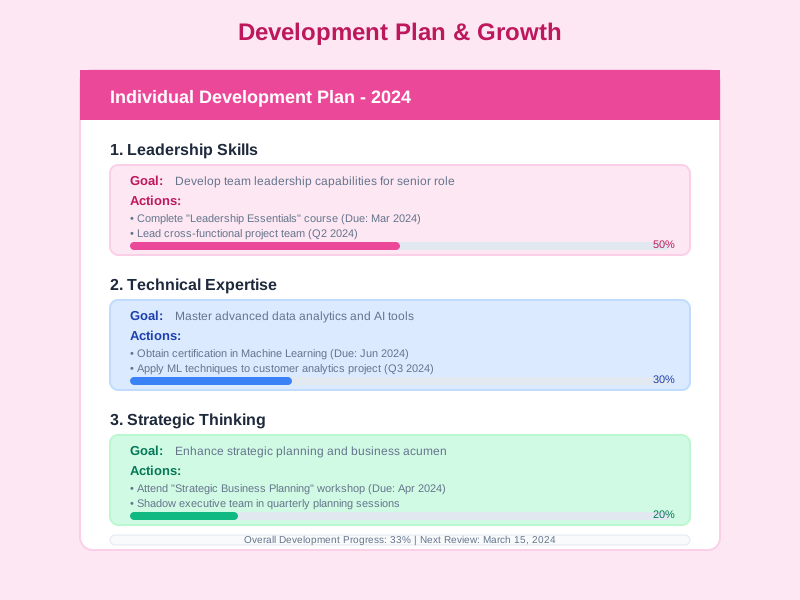
After reviews are submitted, run calibration sessions to ensure fair and consistent ratings. Adjust scores, position employees on the 9-box grid, and compare against distribution targets. Once calibrated, share results with employees for acknowledgment and follow up with development actions or improvement plans as needed.
Complete Feature Breakdown
Goal Management
Set, track, and manage goals at every level of the organization with flexible measurement and OKR support.
Review Cycles
Run structured review periods with configurable timelines, participant selection, and multiple feedback types.
Review Templates
Build custom review forms with a flexible template builder - no coding or external tools needed.
Review Execution & Approval
Complete, submit, approve, and share reviews with a clear multi-step workflow.
Feedback & Recognition
Build a culture of continuous feedback with recognition, constructive input, and feedback requests.
Calibration & 9-Box Grid
Ensure fair and consistent ratings by reviewing and adjusting scores in calibration sessions.
Performance Improvement Plans (PIPs)
Support underperforming employees with structured plans, clear milestones, and regular check-ins.
Analytics & Reporting
Visualize performance data across the organization with dashboards, reports, and export options.
Frequently Asked Questions
Common questions about Performance Management
Ready to Run a Complete Performance Cycle?
Set goals, run reviews, give feedback, calibrate ratings, and support development - all from a single platform connected to your organization.


