
Meetings, Classrooms & Webinars - All Inside Your Platform
Noova Meet
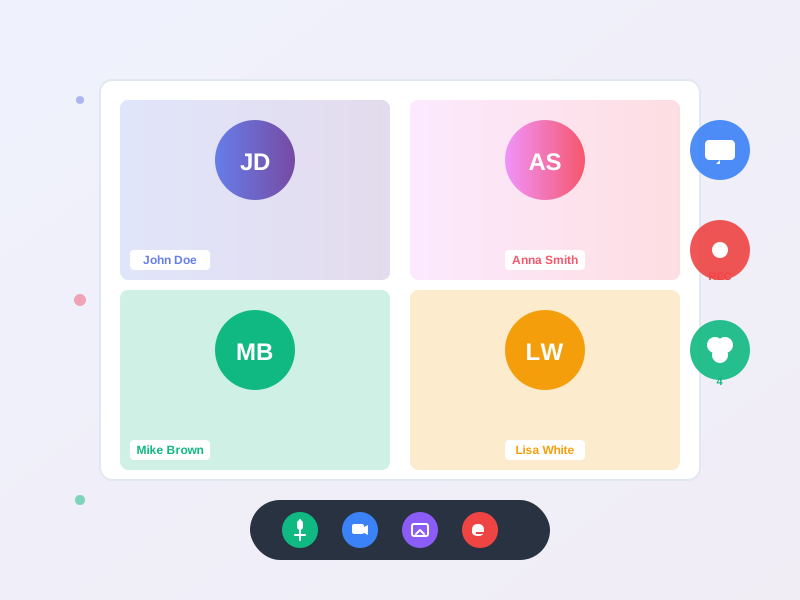
Launch live meetings, instructor-led virtual classrooms, and broadcast webinars without leaving Noova. Every employee joins with their existing account - no separate logins, no extra software. Support up to 200 participants per room, built-in recording saved to your video library, live streaming to YouTube and Facebook, and flexible screen sharing controls.
undefined
undefined
A Video Platform Woven Into Your Entire Workflow
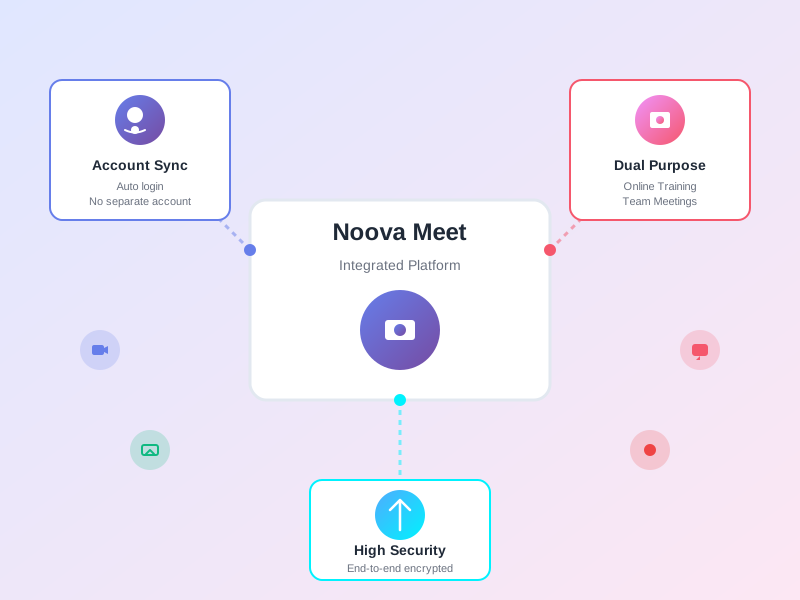
Noova Meet is the live communication layer of the Noova platform. Instead of juggling separate video tools, every meeting, classroom, and webinar runs inside the same system where your courses, training programs, recruitment pipelines, and community events already live. Rooms are created automatically when needed - with participant tracking, session history, and recording all handled natively.
Three Distinct Room Types
Regular meetings for daily calls and project syncs, virtual classrooms powered by BigBlueButton for interactive instructor-led training, and webinars for one-to-many broadcast presentations.
Flexible Participant Limits
Configure each room to support 2 to 200 participants. The system tracks room usage across your organization for capacity planning.
Recording with Library Integration
Start and stop recording during any session. Recordings are saved as MP4 to your video library with playback URLs for easy sharing and on-demand replay.
Multi-Module Connections
Rooms link to training courses, the meetings module, recruitment interview schedules, and community events - all from a single room infrastructure.
What Noova Meet Enables
Live Virtual Classrooms
Run instructor-led training sessions powered by BigBlueButton with load-balanced infrastructure. Link rooms directly to course lessons so learners join from their training dashboard with attendance tracked automatically.
Internal Meetings Without Extra Tools
Create meeting rooms directly from the meetings module. Employees join with their Noova accounts - no Zoom, Teams, or Google Meet licenses needed for internal calls.
Company-Wide Webinars
Webinar rooms support large audiences up to 200 participants with optional YouTube and Facebook live streaming for even broader reach beyond your organization.
Recruitment Interviews
The recruitment module automatically creates dedicated interview rooms, linking candidates and interviewers with full session tracking for hiring records.
Who Uses Noova Meet
Training Teams & Instructors
Host live virtual classrooms linked to course lessons. Use BigBlueButton-powered rooms for interactive training with automatic attendance tracking and session recording.
Managers & Team Leads
Run team meetings, project syncs, and all-hands directly from the meetings module. Rooms are created automatically with Google Calendar and Outlook sync.
HR & Recruitment Teams
Conduct remote candidate interviews with dedicated rooms created by the recruitment module. Track interview sessions and link results to the hiring pipeline.
System Administrators
Monitor room usage across the organization. Configure participant limits, manage recording settings, and control screen sharing permissions per room.
How Organizations Use Noova Meet
Live Training Sessions Linked to Courses
A company needs to deliver instructor-led training as part of their onboarding program. Instead of managing a separate video tool, they add live lessons directly to their onboarding course.
- Created virtual classroom rooms linked to course lessons
- BigBlueButton infrastructure handles the sessions reliably
- Learners join directly from the course dashboard - no separate meeting links
- Attendance is tracked automatically for each participant
- Sessions recorded and saved to the video library for anyone who missed the live class
Replacing External Meeting Tools
An organization wants to consolidate from multiple video conferencing subscriptions into a single platform integrated with their HR system.
- Created meeting rooms from the meetings module with Noova Meet as the platform
- Employees join with existing Noova accounts - no additional licenses or registrations
- Calendar sync pushes meeting invites to Google Calendar and Outlook automatically
- Rooms configured for up to 50 participants with screen sharing enabled
- Participant roles (attendee, presenter, moderator) control room permissions
Company-Wide Broadcast with Live Streaming
Leadership needs to deliver quarterly updates to employees across multiple locations, including field staff without direct platform access.
- Created a webinar room configured for 200 participants
- Enabled YouTube Live streaming for external viewers without platform access
- Enabled Facebook Live streaming simultaneously for broader reach
- Real-time participant count tracked for in-platform attendees
- Recording saved to video library for on-demand replay
Using Noova Meet in Three Ways
1
From a Course Lesson
Add a live lesson to any course. Choose the room type - regular meeting, virtual classroom, or webinar. Set the participant limit and schedule the session. Learners see the live lesson in their course dashboard and join with one click when it starts. Attendance is tracked automatically.
2
From the Meetings Module
Create a meeting and select Noova Meet as the online platform. Add attendees from the organization directory, set the time and timezone, and save. The system creates the room automatically, syncs with Google Calendar and Outlook, and sends notifications to all participants.
3
From Recruitment Interviews
When scheduling a candidate interview, the recruitment module generates a dedicated meeting room automatically. Interviewers and the candidate are linked to the room. The interview session is tracked and can be recorded for the hiring committee to review.
Complete Feature Breakdown
Three Room Types
Each room type serves a different use case with its own infrastructure and capabilities.
Participant Management
Track who joins, when they arrive, and when they leave with real-time online presence and session history.
Session Recording
Record live sessions and save them to the video library for on-demand replay and sharing.
Live Streaming to External Platforms
Broadcast sessions to YouTube and Facebook simultaneously, extending reach beyond platform users.
Screen Sharing Controls
Control who can share their screen during sessions with per-room configuration.
Module Integration
Rooms connect to four major modules for seamless workflow integration.
Session Lifecycle & History
Track room activity and maintain a complete history of all live sessions.
Frequently Asked Questions
Common questions about Noova Meet
Ready to Run Meetings and Classrooms Inside Your Platform?
Launch live meetings, virtual classrooms, and webinars directly in Noova - no separate tools, no extra accounts, no additional licenses.


