
Salary Structures, Reviews, Benefits Plans & Enrollment in One Place
Compensation & Benefits
Build salary structures with grades and steps, manage individual employee compensation and allowances, run salary review campaigns with multi-level approvals, create benefits plans with employer and employee cost splits, open enrollment periods for employees to select their benefits, and analyze everything with five built-in report types.
undefined
undefined
A Complete System for Compensation and Benefits Administration
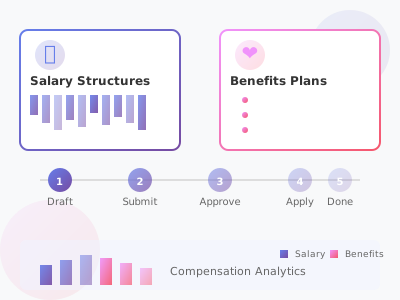
Noova Compensation & Benefits covers the full lifecycle of how you pay and support your employees. Start by defining salary structures with grades, steps, and ranges that map to your departments and positions. Assign compensation to individual employees - base salary, various allowances, and payment details. When it is time for salary adjustments, run review campaigns that route through multi-level approvals and connect to performance data. On the benefits side, create plans with cost structures split between employer and employee, then open enrollment periods so employees can select their benefits and manage dependents. Five built-in report types give you visibility into salary costs, benefits costs, compensation comparisons, headcount, and review outcomes.
Structured Salary Framework
Define salary structures with grades and steps, set minimum and maximum ranges for each level, and assign structures to specific departments and positions across your organization.
Approval-Based Salary Reviews
Run salary review campaigns with configurable multi-level approval workflows. Integrate performance review data so merit increases are based on actual performance outcomes, and track budget allocation throughout the process.
Flexible Benefits Administration
Create benefits plans covering health insurance, retirement, life insurance, and other categories. Define how costs are split between employer contributions and employee contributions for each plan.
Five Built-In Report Types
Analyze compensation data with reports for salary costs, benefits costs, compensation comparison, headcount analysis, and salary review summaries. Export reports for further analysis.

What Compensation & Benefits Enables
Consistent Salary Framework
Salary structures with defined grades, steps, and ranges provide a consistent framework for setting compensation. Every position maps to a structure, so salary decisions follow a clear and documented methodology rather than ad-hoc negotiations.
Controlled Salary Adjustments
Salary review campaigns with multi-level approvals ensure that salary changes go through proper review before taking effect. Budget tracking gives leadership visibility into total spending, and performance data integration ties increases to documented outcomes.
Transparent Benefits Management
Benefits plans with clear cost breakdowns between employer and employee contributions eliminate confusion about who pays what. Enrollment periods with automatic cost calculations let employees make informed decisions about their benefits.
Data for Compensation Decisions
Built-in reports on salary costs, benefits costs, compensation comparisons, and headcount give HR and finance the data they need to make informed decisions about compensation strategy and budget planning.
Who Uses Compensation & Benefits
HR Managers
Build and maintain salary structures, manage employee compensation records, run salary review campaigns, create benefits plans, and administer enrollment periods.
Department Managers
Participate in salary reviews for their team members, propose merit increases based on performance, and review team compensation within the approval workflow.
Employees
View personal compensation details, select benefits during enrollment periods, manage dependent information, and understand their total compensation package.
Finance Teams
Monitor compensation costs across the organization, review budget allocation for salary reviews, and use reports for financial planning and analysis.
How Organizations Use Compensation & Benefits
Setting Up Salary Structures for a Growing Organization
An organization is formalizing its compensation approach. They need to create salary structures that define clear grades and salary ranges for different departments and positions, so compensation decisions follow a consistent framework as the company grows.
- Created salary structures with grades representing career levels within the organization
- Defined steps within each grade to allow for progression without changing grade level
- Set minimum and maximum salary ranges for each grade and step combination
- Assigned salary structures to specific departments and positions in the organization
- Employees mapped to the appropriate grade and step based on their role and experience
- New hire offers now reference the salary structure to ensure consistency with existing employees
Running an Annual Salary Review Cycle
HR is conducting the annual salary review. They need to collect manager recommendations for merit increases, route those recommendations through multiple approval levels, stay within the allocated budget, and connect increases to performance review outcomes.
- Created a salary review campaign with a defined review period and budget allocation
- Department managers entered merit increase recommendations for their team members
- Performance review data pulled in to provide context for each recommendation
- Recommendations routed through multi-level approvals - manager, HR, and senior leadership
- Budget tracking showed total proposed increases against the allocated budget at each stage
- Approved increases applied to employee compensation records upon final sign-off
Managing Benefits Enrollment for the New Year
HR is opening the annual benefits enrollment period. They need employees to review available benefits plans, select their coverage, add dependent information for family members, and understand the cost breakdown between employer and personal contributions.
- Benefits plans configured with coverage details, eligibility rules, and cost structures
- Employer and employee cost splits defined for each plan - fixed amounts or percentage-based
- Enrollment period opened with start and end dates for employee selections
- Employees reviewed available plans and selected their benefits for the coming year
- Dependent information added for employees enrolling family members in coverage
- Cost calculations completed automatically based on plan selections and dependent counts
Using Compensation & Benefits Step by Step
1
Create Salary Structures & Benefits Plans
Start by building your salary structures - define grades and steps with salary ranges, and assign them to departments and positions. Then create your benefits plans - health insurance, retirement, life insurance, and other categories - with cost splits between employer and employee contributions.

2
Assign Employee Compensation
Set up individual employee compensation. Assign each employee to a salary structure grade and step, set their base salary, add applicable allowances (position, location, skill-based), and configure payment information including bank account details.

3
Run Salary Reviews & Benefits Enrollment
Launch salary review campaigns when it is time for adjustments - managers submit recommendations, approvals route through multiple levels, and budget is tracked throughout. Open benefits enrollment periods so employees can select their coverage and manage dependents.

4
Analyze with Reports
Use the five built-in report types to analyze your compensation data: salary costs by department, benefits costs with employer contributions, compensation comparisons across positions, headcount analysis, and salary review summaries. Export any report for further analysis.

Complete Feature Breakdown
Salary Structures
Define the salary framework for your organization with grades, steps, and ranges.
Employee Compensation
Manage individual employee salary, allowances, and payment information.
Salary Reviews
Conduct salary review campaigns with approvals, performance integration, and budget tracking.
Benefits Plans
Create and manage benefits packages with flexible cost structures.
Benefits Enrollment
Manage enrollment periods where employees select their benefits and add dependents.
Reports & Analytics
Five report types for analyzing compensation data across the organization.
Frequently Asked Questions
Common questions about Compensation & Benefits
Ready to Streamline Your Compensation & Benefits?
Build salary structures, manage employee compensation, run salary reviews with approvals, administer benefits plans and enrollment, and analyze it all with built-in reports.


