
Complete Enterprise Survey Platform With 13 Question Types
Survey Builder
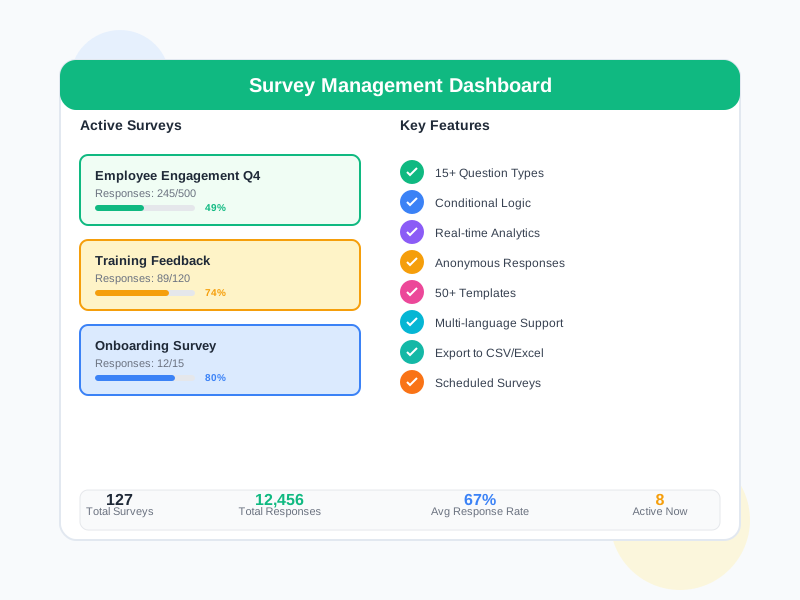
Create professional surveys with 13 diverse question types, survey campaigns with audience targeting and scheduled publishing, scoring configuration with result classification, smart conditional logic, question category management, and a reusable question library. A complete solution from building, distributing to analyzing survey results.
undefined
undefined
Next-Generation Enterprise Survey Platform
The Survey Builder in Noova has been completely overhauled into a comprehensive enterprise survey platform. With 13 diverse question types, a campaign system with audience targeting and scheduled publishing, scoring configuration with automatic result classification, smart conditional logic, question category management, and a reusable question library. Each survey completion is tracked through its own response record, enabling detailed analysis of every response.
13 Question Types
From Radio, Checkbox, Matrix to NPS, Ranking, Rating Scale, Slider - covering every modern survey data collection method
Targeted Campaigns
Create survey campaigns with specific audience targeting, automatic scheduled publishing, and real-time response tracking
Automatic Scoring
Configure answer scores and automatic result classification system to evaluate and categorize survey participants
Smart Logic & Categories
Conditional logic for dynamic question display, combined with category management and a reusable question library for efficient survey building
Why Use the Noova Survey Builder?
13 Question Types for Every Need
With 13 diverse question types including Radio, Checkbox, Short/Long text, Matrix, NPS (Net Promoter Score), Ranking, Rating Scale, Slider, Date, and File Upload, you can collect every type of data from qualitative feedback to complex quantitative assessments like multi-dimensional matrices.
Professional Survey Campaigns
Manage survey distribution through the campaign system with specific audience targeting (by department, position, employee group), automatic scheduled publishing, distribution, and real-time response tracking. Each campaign creates an individual response record per participant to track completion progress.
Scoring & Result Classification
Configure a scoring system for surveys with point values for each answer. The automatic result classification system categorizes participants based on total scores, supporting competency assessments, knowledge tests, and satisfaction level classification.
Conditional Logic & Question Library
Build smart surveys with logic rules for conditional question display based on previous responses. Combined with a reusable question library and question category management to create surveys quickly and consistently across the organization.
Who Benefits from the Survey Builder?
Training & Development Managers
Create training needs assessments and post-training feedback surveys with 13 diverse question types. Use scoring for knowledge evaluation, NPS for satisfaction measurement, and matrix questions for assessing multiple competencies simultaneously
HR Managers & People Operations
Deploy employee engagement survey campaigns with audience targeting by department and position. Use rating scales, sliders, and NPS to scientifically measure pulse checks and organizational assessments
Department Heads & Team Leads
Create team feedback surveys and project retrospectives with ranking, matrix, and rating scale questions. Leverage conditional logic and the pre-built question library for quick survey creation
System Administrators
Manage question categories, the reusable question library, and scoring configurations. Oversee survey campaigns, track response rates, and analyze results across the entire organization
Real-World Survey Builder Use Cases
Manufacturing Company: Multi-Dimensional Training Needs Assessment
A manufacturing company with 1,200 employees needed a comprehensive competency and training needs assessment across 8 departments with multiple evaluation criteria.
- Response rate increased from 35% to 87% with targeted campaigns
- Matrix questions assessed 15 competencies simultaneously, reducing required questions by 60%
- Automatically classified 1,200 employees into 3 training groups within minutes
- Identified 12 critical skill gaps with detailed scoring data
Tech Company: Satisfaction Assessment With NPS & Scoring
A technology company running 50+ training programs annually needed a standardized evaluation system with automatic scoring for each training course.
- 95% completion rate with automated campaigns and scheduled publishing
- NPS identified 3 programs with low recommendation rates needing content improvement
- Automatic scoring reduced manual analysis time by 80%
- Compared effectiveness of 50+ programs based on standardized scores
Healthcare Network: Organization-Wide Engagement Survey Campaign
A healthcare network with 2,500 staff wanted to deploy quarterly engagement survey campaigns with multi-dimensional measurement across locations.
- Participation reached 90% with targeted campaigns - double the previous rate
- Matrix and NPS questions surfaced 8 location-specific issues that generic questions missed
- Automatic engagement classification helped leadership prioritize actions per unit
- Standardized question library enabled quarterly pulse surveys to be deployed in just 10 minutes
How to Create and Launch Surveys
1
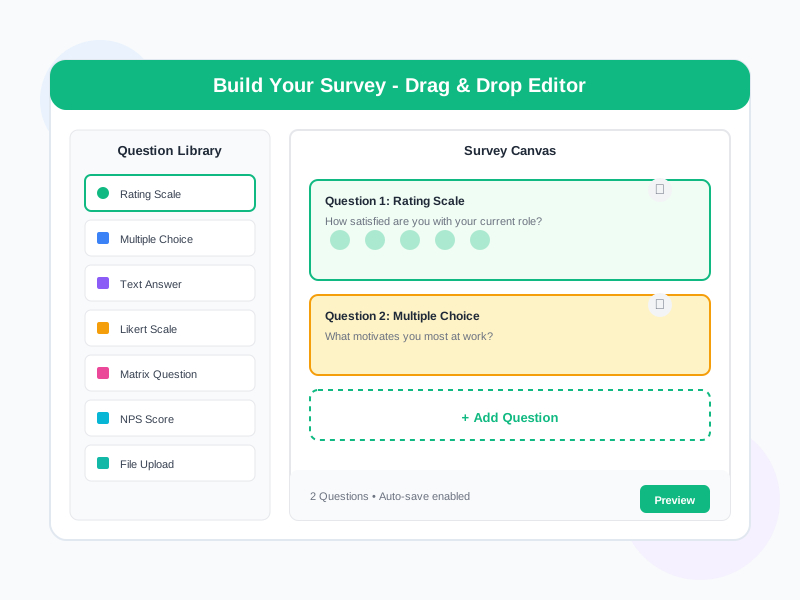
Design Surveys With 13 Question Types
Create a new survey and build your question set from 13 types: Radio (single choice), Checkbox (multiple choice), Short text, Long text, Matrix (multi-dimensional assessment), NPS (Net Promoter Score), Ranking (priority ordering), Rating Scale, Slider, Date, File Upload, and more. Organize questions by category and leverage the reusable question library for quick survey creation.
2
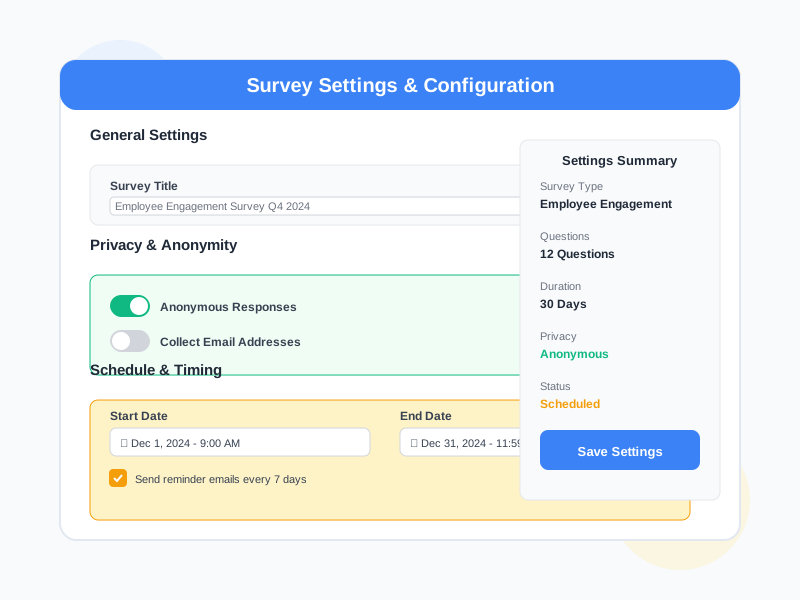
Configure Scoring & Conditional Logic
Set up scoring configuration for the survey with point values for each answer and automatic result classification (e.g., Excellent / Good / Needs Improvement). Add logic rules for conditional question display based on previous responses, creating a smart and personalized survey experience.
3
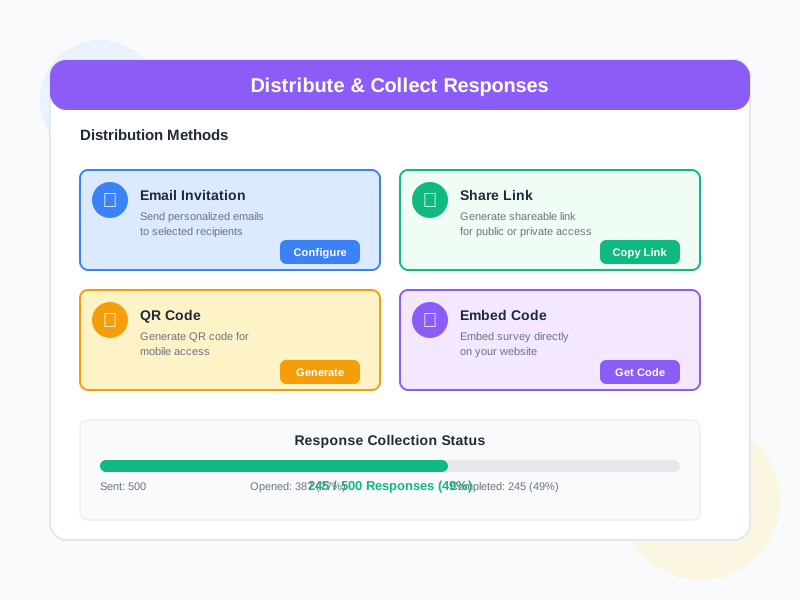
Create Campaigns & Target Audiences
Create a survey campaign with specific audience targeting (by department, position, employee group). Schedule automatic publishing by date and time, or publish immediately. The system creates a response record for each participant to track individual completion progress.
4
Track Responses & Analyze Results
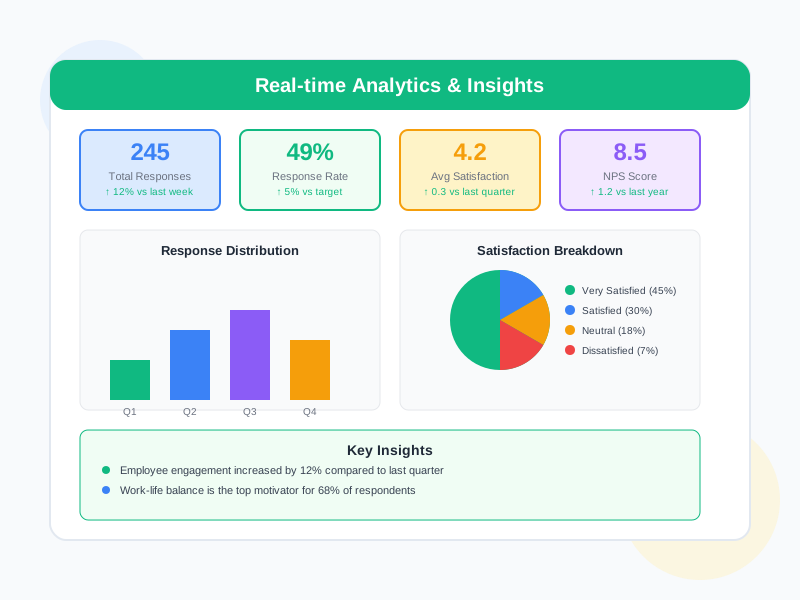
Monitor responses in real-time within campaigns: completion rates, individual response record statuses, scores, and automatic result classifications. Analyze survey data with visual charts, compare across audience groups, and export detailed reports.
Detailed Feature Breakdown
13 Diverse Question Types
Radio: Select a single answer. Checkbox: Select multiple answers. Short text: Brief responses. Long text: Detailed paragraph feedback. Matrix: Evaluate multiple items on the same scale, ideal for multi-dimensional competency assessments. NPS (Net Promoter Score): International standard 0-10 scale measuring recommendation likelihood. Ranking: Arrange items in priority order. Rating Scale: Evaluate on a custom scale (e.g., 1-5 stars). Slider: Select a value on a continuous slider. Date: Date input. File Upload: Attach documents, images, or evidence.
Survey Campaign System
Manage survey distribution through professional campaigns: target specific audiences by department, position, or employee group; schedule automatic publishing by date and time; publish surveys; track responses in real-time with completion rates, statuses, and detailed progress for each campaign.
Scoring & Result Classification
Configure scoring for surveys: assign point values to each answer, automatically calculate total scores for each participant. The automatic result classification system categorizes respondents based on predefined score thresholds (e.g., 80-100 = Excellent, 60-79 = Good, below 60 = Needs Improvement). Supports competency assessments, knowledge tests, and satisfaction level classification.
Conditional Question Display Logic
Logic rules allow you to show or hide questions based on responses to previous questions. For example, only display a detailed follow-up question about dissatisfaction reasons when the respondent rates below 3 stars, or show department-specific questions based on the selected department. Creates a concise, relevant, and personalized survey experience for each respondent.
Question Category Management
Organize questions systematically by category: by topic (engagement, training, benefits), by department, by assessment type, or any custom criteria. Categories make it easy to search, filter, and manage hundreds of questions across the entire system.
Reusable Question Library
Build a standardized question library that can be reused across multiple surveys. Store vetted questions with their complete configurations (question type, answer options, logic, scoring) to quickly add them to new surveys without recreating from scratch. Ensures assessment consistency across the organization.
Survey Template Library
A curated template library covering 4 major categories: Engagement (employee engagement, pulse checks, workplace satisfaction), Lifecycle (onboarding, probation, annual, exit interviews), Kirkpatrick (training effectiveness L1-L4) and Training Needs. Each template ships with pre-built question sets, scoring configuration and result classification - launch a new survey in seconds with one click. The Template Library and Template Detail dialogs let you preview the full structure before you clone.
Batch Survey Campaigns
Roll out the same survey to multiple audiences or multiple lifecycle milestones in a single configuration - ideal for quarterly engagement checks, post-training L1 across many cohorts, or lifecycle surveys that fire at onboarding/probation/exit automatically. Save setup time while keeping every wave consistent.
Frequently Asked Questions
Ready to Build Professional Surveys?
Start creating surveys with 13 question types, targeted campaigns, automatic scoring, and a reusable question library. No credit card required.


