
Recognition Programs, Achievements & Rewards That Drive Engagement
Emulation & Recognition
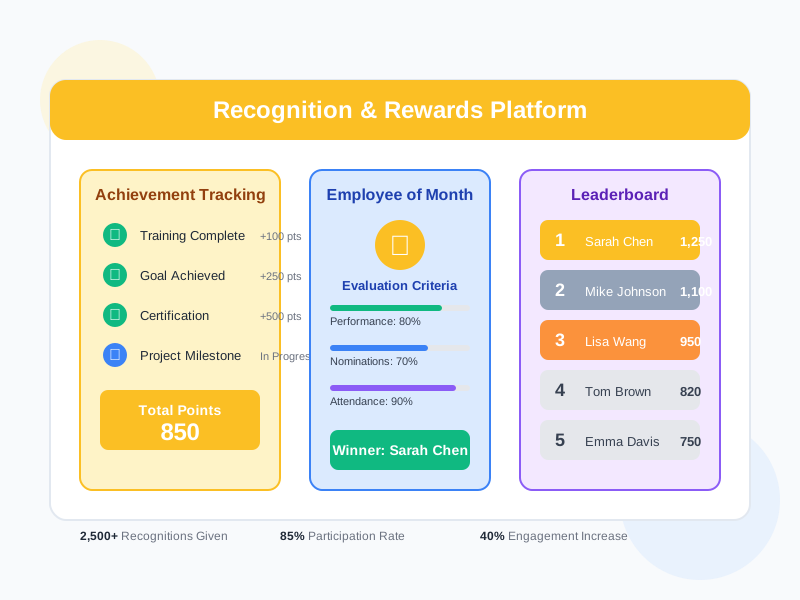
Create recognition programs on monthly, quarterly, or annual cycles. Track employee achievements from training, performance, certifications, and projects. Enable peer and manager nominations with approval workflows. Reward contributions with points, certificates, badges, and experiences. View leaderboards and analytics to see the impact of your recognition culture.
undefined
undefined
A Complete Platform for Employee Recognition and Appreciation
Noova Emulation & Recognition provides everything you need to build and sustain a culture of appreciation. Define recognition programs with weighted evaluation criteria and eligibility rules. Automatically track achievements as employees complete training, earn certifications, hit performance goals, and reach project milestones. Enable nominations from peers, managers, and employees themselves - each flowing through configurable approval workflows. Reward contributions with points, certificates, badges, or experiences. Track it all with leaderboards and analytics dashboards that show program participation, achievement trends, and recognition impact.
Structured Recognition Programs
Create recognition programs with configurable cycles, categories, weighted evaluation criteria, eligibility rules, and multi-step approval workflows to ensure fair and consistent recognition.
Automatic Achievement Detection
Achievements are tracked automatically as employees complete training courses, earn certifications, achieve performance goals, contribute to the organization, and reach project milestones.
Flexible Rewards System
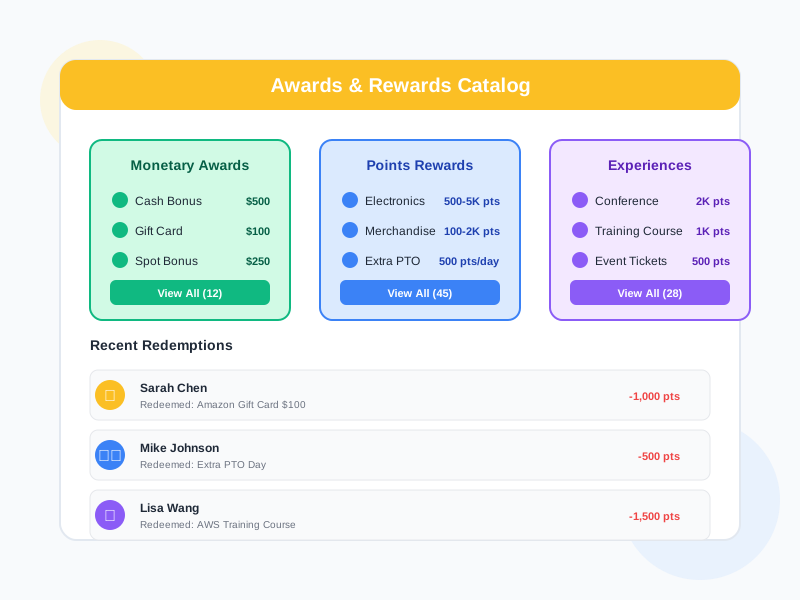
Offer rewards that matter - from cash bonuses and points to certificates, badges, and experiences. Manage a redemption catalog where employees can spend their earned points.
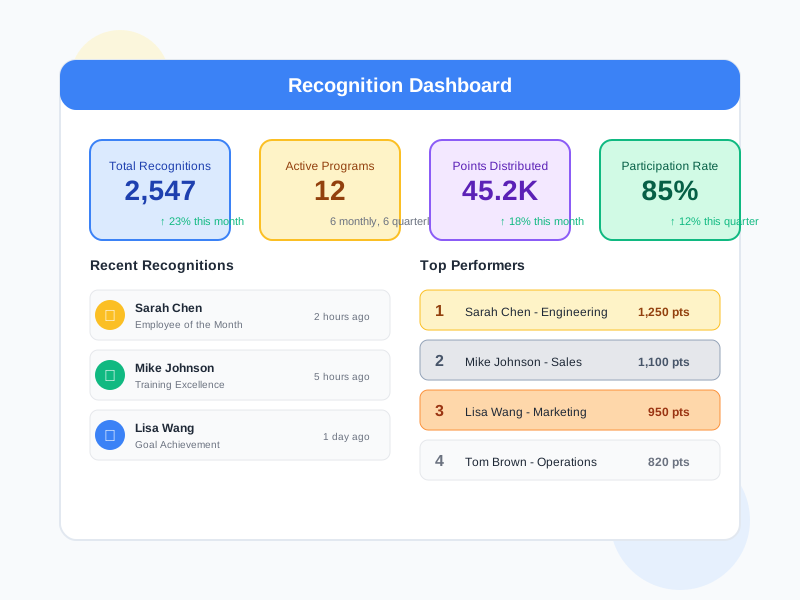
Analytics & Leaderboards
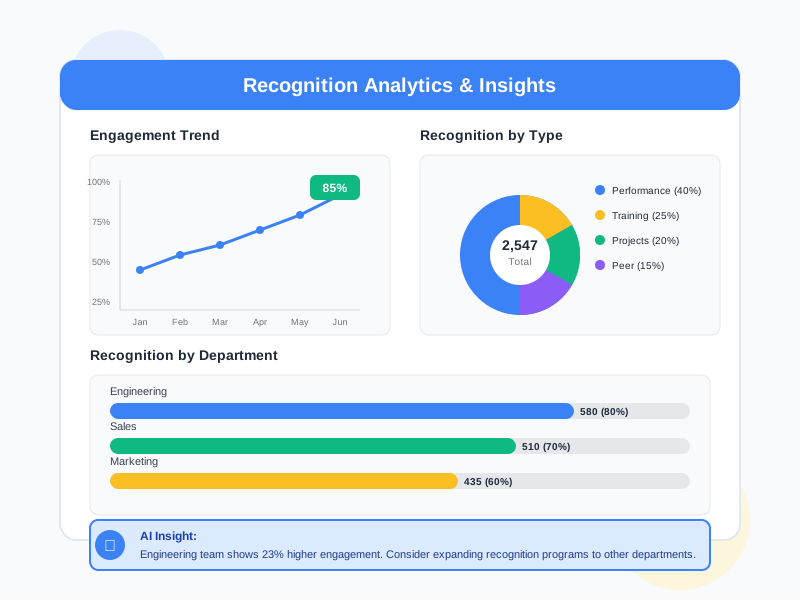
View program analytics, achievement trends, leaderboard rankings, and comparison reports. Understand how recognition programs are performing and where to focus next.
What Emulation & Recognition Enables
A Culture of Appreciation
When contributions are regularly recognized - through programs, nominations, and awards - employees feel valued. Recognition becomes part of daily work life rather than an annual event, building a culture where appreciation is consistent and visible.
Motivation Through Visibility
Leaderboards, achievement timelines, and public recognition give employees visibility into their progress and contributions. Seeing achievements acknowledged motivates continued effort and encourages others to contribute.
Peer-Driven Recognition
Nominations are not limited to managers. Peers can recognize each other's contributions, creating a culture where appreciation flows in every direction - not just top-down. This builds stronger team connections and collaboration.
Automated and Consistent Processes
Automation rules handle routine recognition tasks - awarding points when training is completed, triggering nominations based on achievements, and processing approvals through defined workflows. This ensures recognition happens consistently without manual effort.
Who Uses Emulation & Recognition
HR Leaders
Design recognition programs, configure evaluation criteria and rewards, manage program cycles, and analyze recognition trends across the organization.
Managers
Nominate team members for recognition, review and approve nominations, track team achievements, and use leaderboards to celebrate top contributors.
All Employees
Earn recognition through achievements and nominations, accumulate points, redeem rewards, view personal achievement timelines, and nominate peers for recognition.
Executive Leadership
Monitor recognition program health, review organization-wide engagement through recognition analytics, and ensure recognition efforts align with organizational values.
How Organizations Use Emulation & Recognition
Running a Quarterly Employee Recognition Program
HR wants to establish a structured quarterly recognition program where employees are evaluated across multiple criteria, nominated by peers and managers, and recognized with meaningful awards.
- Created a quarterly recognition program with categories and weighted evaluation criteria
- Eligibility rules configured to include employees across all departments
- Peer and manager nominations enabled with a multi-step approval workflow
- Nominees evaluated against criteria with weighted scoring to determine recipients
- Awards distributed including certificates, badges, and bonus points
- Program analytics reviewed to track participation rates and nomination distribution across teams
Building a Points-Based Reward System
The organization wants to implement a points system where employees earn points through achievements and recognition, then redeem those points for rewards from a catalog.
- Points earning rules defined for training completion, certifications, performance achievements, and peer nominations
- Redemption catalog created with reward options employees can spend points on
- Automation rules set up to automatically award points when achievements are detected
- Point transaction history available for every employee with full earning and spending records
- Leaderboards configured to show top point earners by team, department, and organization
- Points analytics dashboard used to monitor earning patterns and catalog redemption activity
Tracking and Celebrating Employee Achievements
Leadership wants a centralized view of employee achievements drawn from multiple sources - training, certifications, performance goals, and project milestones - with automated recognition for key accomplishments.
- Achievement tracking configured to pull from training completion, certification records, performance results, and project milestones
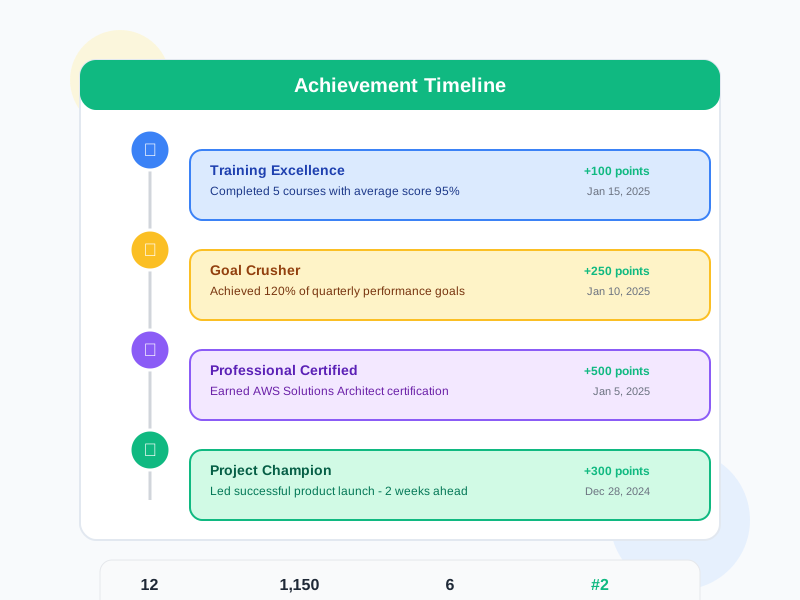
- Achievement timelines available for each employee showing all accomplishments in chronological order
- Automation rules created to trigger recognition when employees reach specific achievement milestones
- Achievement analytics dashboard showing trends, top achievers, and achievement distribution by category
- AI insights used to identify achievement patterns and suggest recognition opportunities
- Managers able to view team achievement summaries and identify contributors to celebrate
Using Emulation & Recognition Step by Step
1
Create a Recognition Program
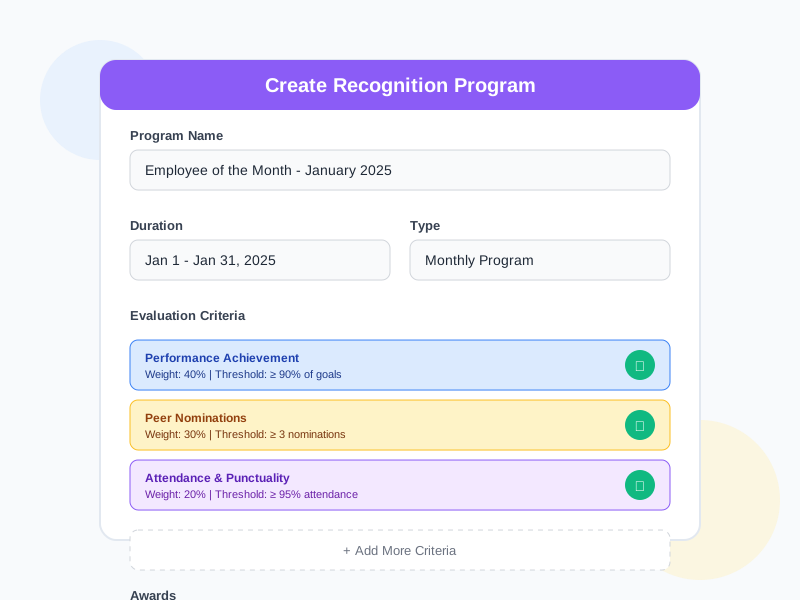
Start by creating a recognition program. Define the program name, cycle (monthly, quarterly, or annual), categories, and evaluation criteria with weights. Set eligibility rules to determine which employees can participate and configure the approval workflow for nominations.
2
Track Achievements & Collect Nominations
As employees complete training, earn certifications, hit performance goals, and reach milestones, achievements are tracked automatically. Peers and managers can nominate employees for recognition programs, attaching supporting evidence for each nomination.
3
Evaluate, Approve & Distribute Awards
Nominations flow through the approval workflow. Evaluate nominees against the weighted criteria to determine recipients. Distribute awards - cash bonuses, points, certificates, badges, or experiences - and update the leaderboards.
4
Analyze Results & Refine Programs
Review program analytics to see participation rates, achievement trends, leaderboard standings, and comparison reports. Use these insights - including AI-generated suggestions - to refine criteria, adjust rewards, and improve future recognition cycles.
Complete Feature Breakdown
Recognition Programs
Create and manage structured recognition programs with configurable cycles, criteria, and workflows.
Achievement Tracking
Automatically track employee achievements from multiple sources across the platform.
Nominations
Enable nominations from peers, managers, and employees with structured approval processes.
Awards & Rewards
Offer meaningful rewards with multiple types and a managed redemption process.
Leaderboards & Rankings
Display rankings to celebrate top contributors and encourage participation.
Points System
Define how employees earn points and provide a catalog of rewards they can redeem.
AI-Assisted Features
Use AI to enhance recognition programs with analysis, suggestions, and insights.
Automation Rules
Automate recognition workflows to ensure contributions are acknowledged consistently.
Frequently Asked Questions
Common questions about Emulation & Recognition
Ready to Build a Culture of Recognition?
Create recognition programs, track achievements, enable peer nominations, reward contributions with points and awards, and measure the impact - all in one platform.


