
Schedule, Book Rooms & Run Meetings - All in One Place
Meeting Management
Create and manage online, offline, and hybrid meetings with built-in room booking, participant RSVP tracking, structured agendas, document attachments, and automated reminders. Choose from five online platforms including native Noova Meet, book physical rooms with approval workflows, sync with Google Calendar and Outlook, and track meeting statistics across your organization.
undefined
undefined
A Complete Meeting Lifecycle System
Meeting Management handles the entire meeting lifecycle from creation through completion. Meetings progress automatically through five statuses - draft, scheduled, in-progress, completed, and cancelled - with auto-updates based on start and end times. The system supports three location types (online, offline, hybrid), five online platforms, physical room booking with conflict prevention, participant RSVP, structured agendas, document sharing, reminders, calendar sync, and organizational reporting.
Automatic Status Lifecycle
Meetings progress through draft → scheduled → in-progress → completed automatically based on meeting times. Cancelled meetings record who cancelled and the reason.
Three Location Types
Every meeting is online, offline, or hybrid. Online meetings connect to video platforms. Offline meetings link to bookable physical rooms. Hybrid combines both.
7 Template Categories
Save and reuse meeting configurations with templates: team meeting, one-on-one, standup, retrospective, planning, review, or custom - each with default duration, platform, agenda, and reminders.
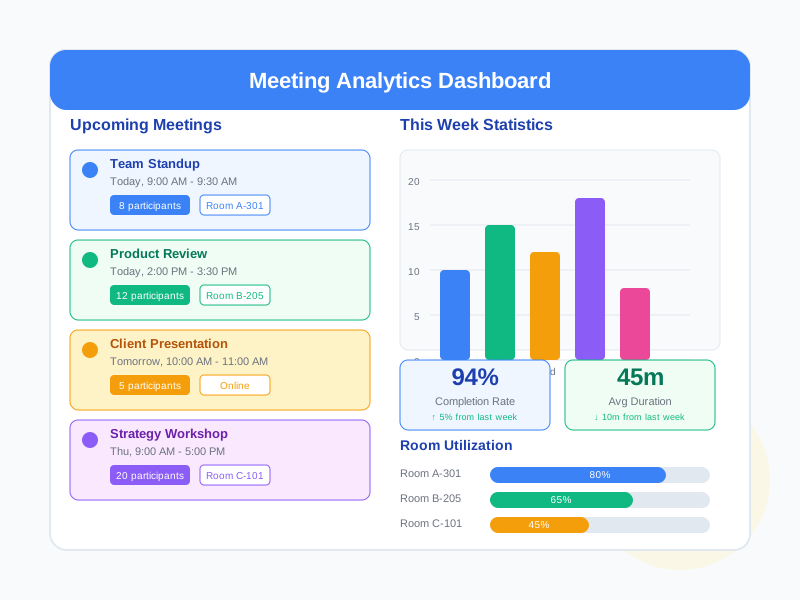
Built-in Reporting
View meeting counts by status and location type, participant averages, total meeting hours, and trend analysis by day, week, or month.
What Meeting Management Enables
Unified Online Meeting Access
Select Noova Meet for native integration (room created automatically), or use Zoom, Teams, Google Meet, or any custom platform. All meeting details stored in one place regardless of platform.
Physical Room Booking with Conflict Prevention
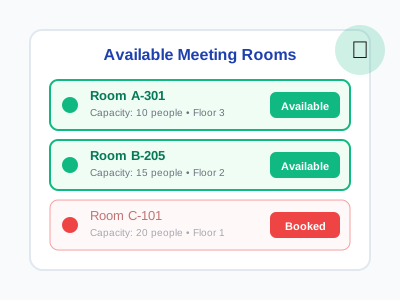
Define rooms with building, floor, capacity, and equipment (projector, whiteboard, TV, phone, video conferencing, computer). The system checks availability before booking and supports optional approval workflows.
Structured Scheduling with Reminders
Set start and end times with timezone support. Configure reminders at custom intervals - 1 day, 1 hour, or 15 minutes before - via email, in-app notification, or SMS.
Agenda-Driven Meetings
Build meeting agendas with titled items, time allocations, designated presenters, and notes per item. Attach supporting documents for participants to review before the meeting.
Who Uses Meeting Management
Managers & Team Leads
Schedule team meetings, one-on-ones, and project syncs. Track participant responses, manage agendas, and use templates for recurring meeting types like standups and retrospectives.
Administrative Teams
Manage the organization's physical meeting rooms. Track capacity, equipment, and availability. Control room booking with optional approval workflows.
Meeting Participants
Respond to meeting invitations, view agendas before meetings, access attached documents, and join online meetings with one click from the meeting detail page.
HR & Organization Administrators
View meeting statistics across the organization, monitor meeting trends over time, and access reports on meeting volume, attendance, and room utilization.
How Organizations Use Meeting Management
Standardizing Team Meetings with Templates
An engineering team needs to run daily standups, weekly sprint planning, and bi-weekly retrospectives consistently across multiple squads.
- Created templates for standup, planning, and retrospective categories with preset durations (15, 60, and 45 minutes)
- Each template includes a pre-built agenda with timed items and designated presenter roles
- Default platform set to Noova Meet for automatic room creation
- Reminders configured: email 1 hour before, notification 15 minutes before
- Teams create meetings from templates in one click - consistent format across all squads
Managing Physical Room Bookings with Approval
A company headquarters with 15 meeting rooms needs to prevent double-bookings and ensure rooms with special equipment are allocated to meetings that need them.
- Defined rooms with capacity, building, floor, and equipment details
- Premium rooms with video conferencing equipment require approval before booking
- Admin team designated as approvers for premium rooms; regular rooms bookable instantly
- Availability checking prevents overlapping bookings automatically
- Available hours set to business hours on weekdays only
Multi-Platform Online Meetings
An organization uses different video platforms for different purposes - Noova Meet for internal training, Zoom for external client meetings, and Teams for partner collaboration.
- Internal meetings use Noova Meet - room created automatically with no extra setup
- Client meetings use Zoom with external meeting links and passwords stored centrally
- Partner meetings use Teams with join links synced to Google Calendar and Outlook
- Participants receive platform-specific join links in reminder emails
- All meetings tracked in a single calendar view regardless of platform
Creating and Managing a Meeting
1
Create a Meeting
Click "Create Meeting" and fill in the title, description, and type (one-time or recurring). Set start and end times with timezone. Choose the location type: online, offline, or hybrid. For online, select a platform - Noova Meet creates a room automatically, or paste a Zoom/Teams/Google Meet link. For offline, pick a physical room.

2
Add Participants and Agenda
Invite participants by selecting employees or entering external emails. Assign each person a role (attendee, presenter, or moderator) and mark them as required or optional. Build the meeting agenda with items, time allocations, presenters, and notes. Attach any supporting documents.
3
Configure Reminders and Publish
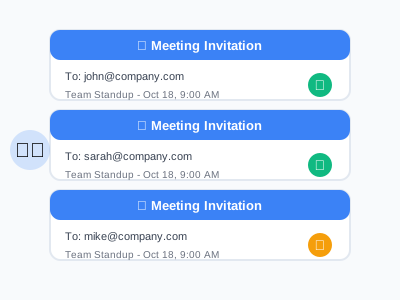
Set up reminders by choosing the type (email, notification, or SMS) and how far in advance to send them. Configure visibility (everyone, participants only, or department). Save as draft or publish immediately - published meetings send invitations and calendar events automatically.
4
Track Responses and Conduct the Meeting
Monitor participant RSVP status from the meeting detail page. When the meeting time arrives, the status updates to in-progress automatically. Participants join via the platform link. After the meeting ends, it completes automatically and a summary email is sent to the organizer.
Complete Feature Breakdown
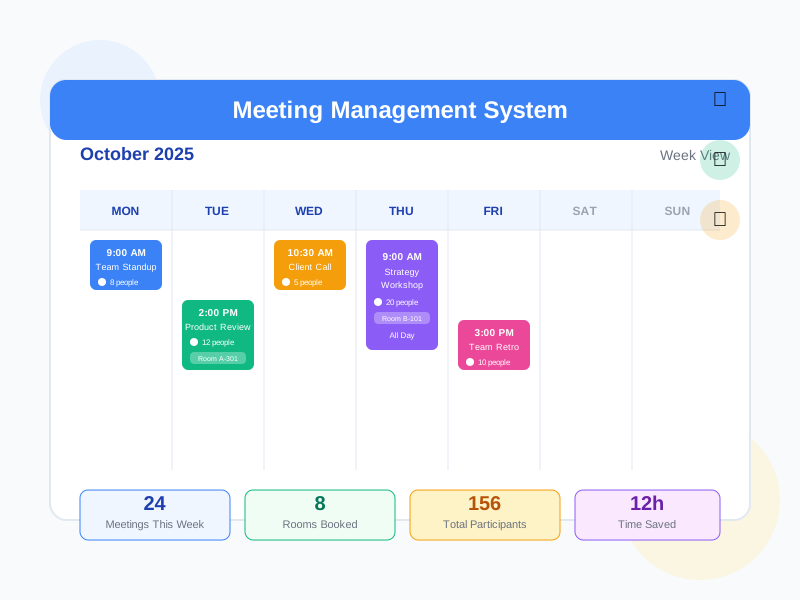
Meeting Calendar
Visual calendar with multiple view modes for browsing and managing meetings.
Physical Room Management
Define, book, and manage meeting rooms with equipment tracking and approval workflows.
Five Online Meeting Platforms
Connect meetings to Noova Meet, Zoom, Teams, Google Meet, or any custom platform.
Participant Management & RSVP
Invite internal employees and external guests with role assignment and response tracking.
Agenda & Document Management
Structure meeting content with timed agenda items and file attachments.
Reminders & Notifications
Multi-channel automated reminders with meeting lifecycle notifications.
Meeting Templates
Save reusable meeting configurations for common meeting types.
Meeting Reports & Statistics
Aggregate meeting data for organizational insights.
Role-Based Permissions
12 granular permissions covering meeting management, room operations, and administration.
Frequently Asked Questions
Common questions about Meeting Management
Ready to Streamline Your Meeting Workflow?
Schedule, book rooms, track RSVPs, and report on meetings - all integrated with your HR platform, training programs, and organizational structure.


