
Org Structure, Employee Directory & Position Headcount
Organization Management
Manage your complete organizational structure with hierarchical org units displayed in tree, chart, and matrix views. Maintain an employee directory with smart filters, multi-org and multi-position assignments, and employee groups. Track position headcount (planned vs. filled), assign managers with delegation and scope control, manage probation plans, and import data via CSV, Excel, or AI-powered parsing. Monitor everything through a dashboard with KPI cards, charts, and a report builder.
undefined
undefined
A Complete Organizational Structure Platform
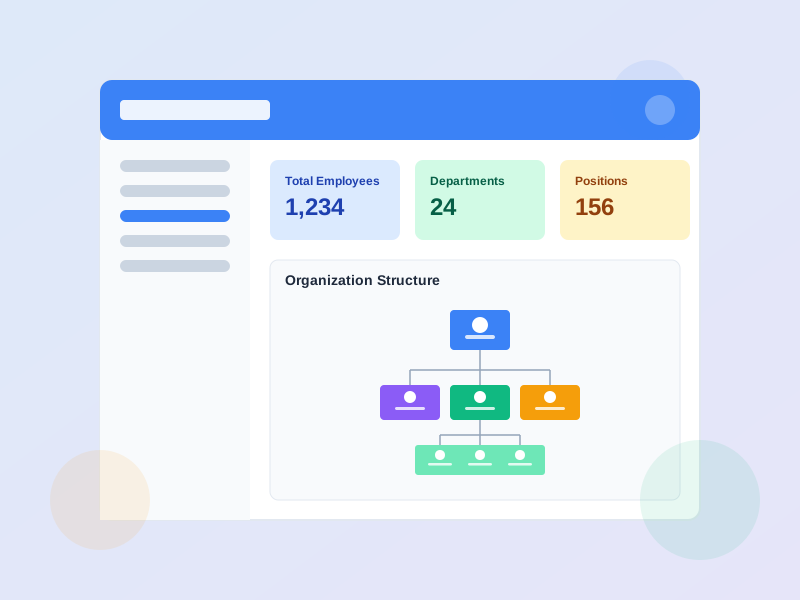
Organization Management is a core module for structuring your company hierarchy, managing employees, and tracking positions. Org units form a parent-child tree with automatic path and depth tracking, viewable in list, chart, or matrix format. Employees support multi-org unit and multi-position assignments with 5 statuses (active, inactive, terminated, on leave, probation) and full lifecycle tracking. Positions track headcount (planned vs. filled) and link to competency and skill requirements. The dashboard provides KPI cards, headcount-by-department charts, gender distribution, tenure analysis, and turnover trends. All data can be imported via CSV, Excel, or AI parsing, and exported to CSV/Excel.
Three View Modes
Org Units displayed as tree list with expand/collapse and breadcrumb navigation, interactive org chart with pan/zoom and depth filtering, or headcount matrix (positions × org units).
Rich Employee Profiles
Each employee has personal info, education, certifications, CV storage, instructor profile (if applicable), multi-org/multi-position assignments, employment history, and promotion tracking.
Dashboard & Analytics
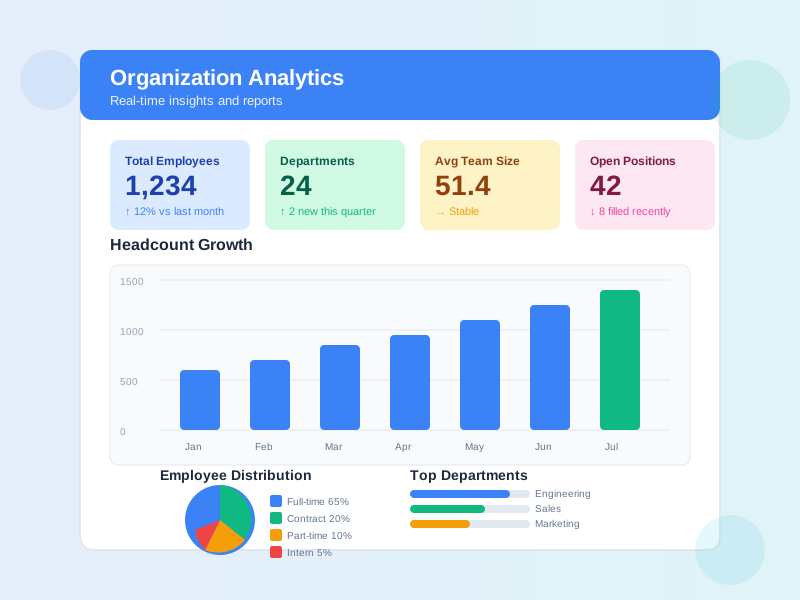
KPI cards (total employees, active, on leave, probation, recent hires), headcount by department, gender distribution, status distribution, tenure analysis, turnover trends, and alert widgets.
Granular Permissions
14+ permissions covering Employee (view/create/update/delete), OrgUnit (view/create/update/delete/manage), Position (view/create/update/delete/manage), and Employee Group (view/manage/assign training).
What Organization Management Enables
Structured Company Hierarchy
Model your entire organization as a hierarchical tree of org units with unlimited depth levels, automatic path tracking, and multiple visualization modes for different audiences.
Centralized Employee Data
Maintain one source of truth for all employee records - personal info, org assignment, position, status, education, certifications, and employment history - accessible to HR and managers.
Headcount Visibility
Track planned vs. filled positions across the organization. View headcount distribution through the matrix view showing positions × org units at a glance.
Probation & Onboarding
Manage new hire probation with structured plans containing goals and competency targets. Conduct reviews at mid-phase, final, and extension phases with clear decision outcomes.
Who Uses Organization Management
HR Managers
Create and maintain the org structure, manage employee records, track headcount, run probation reviews, and monitor workforce metrics through the dashboard.
Department Heads
View their department structure, see team members and positions, track headcount fill rates, and manage manager assignments within their scope.
Training Managers
Assign training items (courses, exams, programs, surveys) to positions, org units, or employee groups. Use bulk assignment jobs for large-scale training rollouts.
System Administrators
Configure permissions, manage role presets, set up org structure, and handle data imports. Control which users can view, create, or modify organizational data.
How Organizations Use This Module
Setting Up Company Structure
A company needed to digitize its organizational structure and establish a single source of truth for departments, teams, and reporting relationships.
- Created hierarchical org units representing company → division → department → team with parentId tree structure
- Assigned Primary and Deputy managers to each org unit with UNIT_AND_CHILDREN scope for cascading authority
- Used the interactive org chart view to visualize the full hierarchy with pan/zoom for presentations
- Imported 300+ employees via Excel upload, assigning each to primary org unit and position
- Tracked planned vs. filled headcount per position to identify understaffed areas through the matrix view
Employee Directory & Smart Filtering
HR needed a searchable employee database to quickly find employees by various criteria and manage employee data across multiple departments.
- Set up employee directory with smart filters - search by name, email, code, position, org unit, or status
- Assigned employees to multiple org units (primary + secondary) for cross-departmental roles
- Created employee groups for project teams and special committees, enabling bulk training assignments
- Used bulk CSV export with active filters to generate department-specific employee lists
- Configured date range filters to track new hires within specific periods
Probation Tracking for New Hires
An organization wanted a structured probation process for new employees with clear goals, reviews, and conversion decisions.
- Created probation plans with specific goals (each with code, description, weight, and target metric) and competency targets
- Conducted mid-phase reviews with per-goal ratings and achievement percentages
- Final reviews resulted in clear decisions: CONVERT (to permanent), EXTEND (probation), or TERMINATE
- Employee lifecycle status automatically updated: ACTIVE_PROBATION → CONVERTED or PROBATION_EXTENDED
- Dashboard alerts notified HR of probation periods ending soon via the 'Probation Ending Soon' widget
Setting Up Your Organization in Four Steps
1
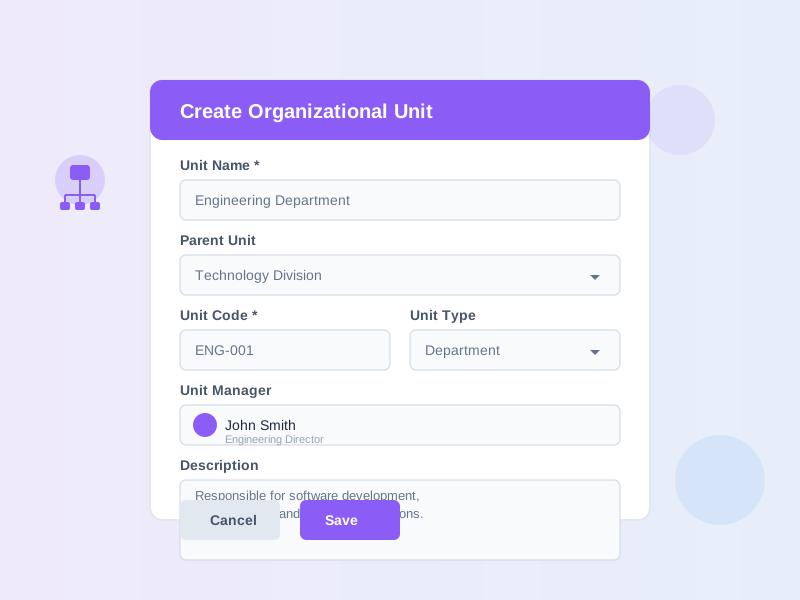
Create Org Units and Hierarchy
Build your company structure by creating org units with parent-child relationships. Each unit tracks its path and depth automatically. View the hierarchy in tree list mode with expand/collapse, switch to the org chart for visual presentation, or use the matrix view for position-headcount analysis. Import org units from CSV/Excel or use AI parsing.
2
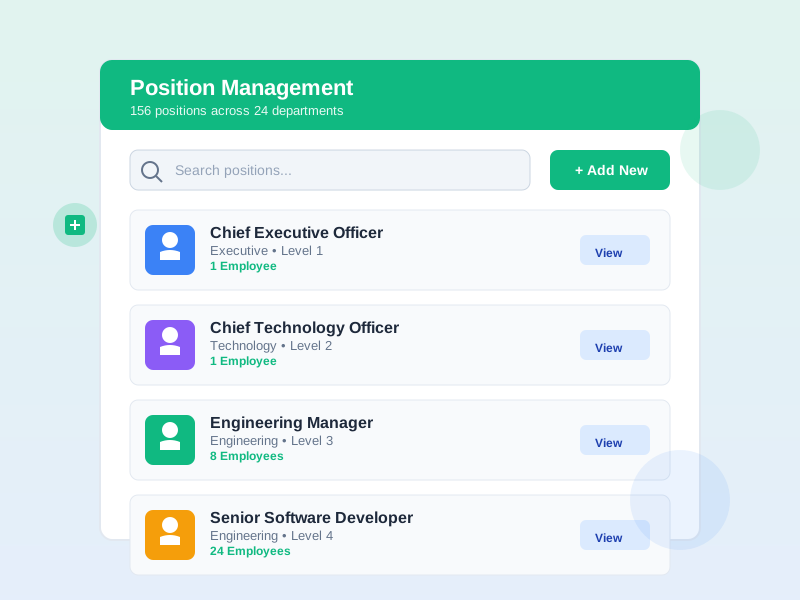
Define Positions and Headcount
Create positions with name, code, and description. Assign positions to one or more org units. Set planned headcount per position to track staffing goals. Link competency and skill requirements from the framework modules. Group related positions into position groups for bulk operations.
3
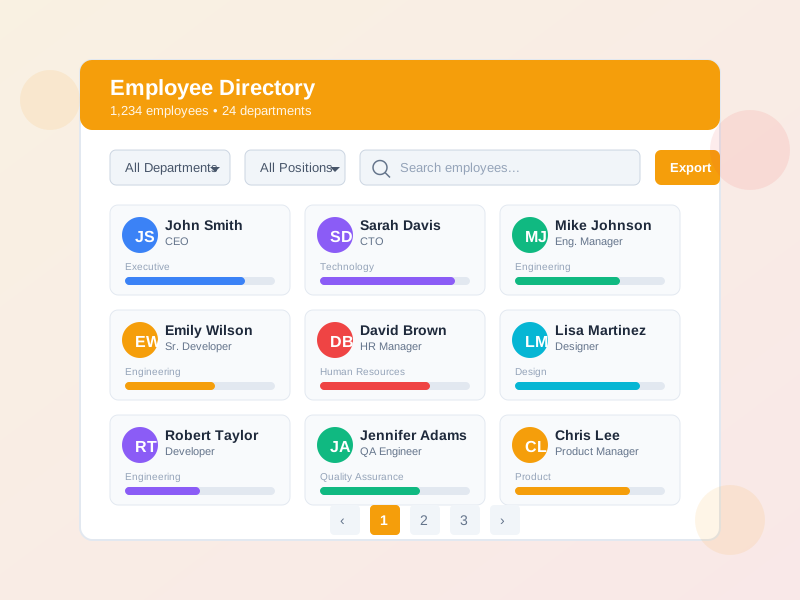
Add Employees and Assign Roles
Add employees manually or bulk import from CSV/Excel with AI-powered parsing. Assign each employee to a primary org unit and position, with optional secondary assignments. Set employee status (active, inactive, on leave, probation). Link system accounts, manage education and certifications, and create employee groups for team categorization.
4
Monitor Dashboard and Manage Probation
Use the dashboard to track KPIs: total employees, active count, on leave, on probation, and recent hires. Review charts for headcount by department, gender distribution, status breakdown, and turnover trends. Set up probation plans with goals and competency targets. Conduct reviews and track lifecycle transitions. Use the report builder to create custom reports and save them for recurring use.
Complete Feature Breakdown
Org Unit Management with 3 Views
Create and manage organizational units in a hierarchical tree with unlimited depth levels.
- Tree list view - expand/collapse nodes, breadcrumb navigation, sort order management
- Org chart view - interactive visual hierarchy with pan/zoom controls and depth limiting
- Matrix view - positions × org units headcount grid with search, depth filtering, and CSV export
- Smart filters - filter by org unit (exact or subtree) with EQ and IN operators
- Import from CSV/Excel or AI-powered text parsing - export to CSV/Excel
- Create, edit, delete, move org units within the hierarchy
Employee Directory & Profiles
Comprehensive employee database with rich profiles and advanced search capabilities.
- 6 smart filter keys - name, email, code, position, org unit, status - with EQ and CONTAIN operators
- 5 employee statuses - active, inactive, terminated, on leave, probation
- Multi-org and multi-position assignments - primary + secondary for cross-functional roles
- Rich profiles - education, certifications, CV storage, instructor profile, tags
- Employee groups - create groups for bulk categorization and training assignment
- Bulk import from CSV/Excel with AI parsing - bulk export with active filters
Position & Headcount Tracking
Define positions with staffing metrics and link to competency and skill requirements.
- Planned vs. filled headcount tracking per position
- Multi-org unit assignment - assign positions across multiple departments
- Competency requirements - link to competency framework with required levels (1-10), mandatory flag, and weights
- Skill requirements - link to skill framework with required levels, mandatory flag, and effective date ranges
- Position groups - group positions for bulk operations
- Position details page - tabs for info, competencies, skills, members, and training
Manager Assignments & Delegation
Assign managers to org units with flexible types, scopes, and time-based validity.
- 4 manager types - Primary, Deputy, Acting, Delegated
- 3 scope levels - Unit Only, Unit & Children, Unit & Descendants
- Time-based validity - effective from/to dates with active/inactive/expired status tracking
- Delegation tracking - record who delegated, reason, and notes
- Helper methods - get active managers, primary manager, all managed units for a user
Probation Management
Structure new hire probation with plans, goals, reviews, and lifecycle transitions.
- Probation plans - define goals (code, description, weight, target metric) and competency targets
- Reviews - mid-phase, final, and extension phases with per-goal ratings and achievement percentages
- Decision outcomes - Convert (to permanent), Extend, Terminate, or Undecided
- Auto lifecycle updates - status transitions from ACTIVE_PROBATION to CONVERTED, EXTENDED, or TERMINATED
- Dashboard alerts - 'Probation Ending Soon' and 'Missing Accounts' alert widgets
Dashboard, Analytics & Reports
Monitor workforce metrics through KPI cards, charts, and a report builder.
- KPI cards - total employees, active, on leave, on probation, recent hires
- Charts - headcount by department, gender distribution, status distribution, tenure analysis, turnover trends
- Employee dashboard - new hires table, probation alerts, missing accounts alerts
- Report builder - custom field selection, filter configuration, preview, and CSV export
- Saved reports - save, re-run, and manage report configurations
- Training assignments - assign courses, exams, programs to positions, org units, or employee groups with bulk jobs
Frequently Asked Questions
Common questions about Organization Management
Ready to Structure Your Organization?
Set up your org hierarchy, manage employees, track headcount, and monitor workforce metrics - all in one platform.


